 QualBuddy
01 · Privacy first
Keep research data close.
Audio, transcripts and analysis are processed on your computers. QualBuddy does not upload interview material for processing.
For universities & research teams
On-device transcription and qualitative analysis, together. Help researchers keep sensitive material in their care and carry their work from recording to written findings.
For research, supervision and methods teaching.
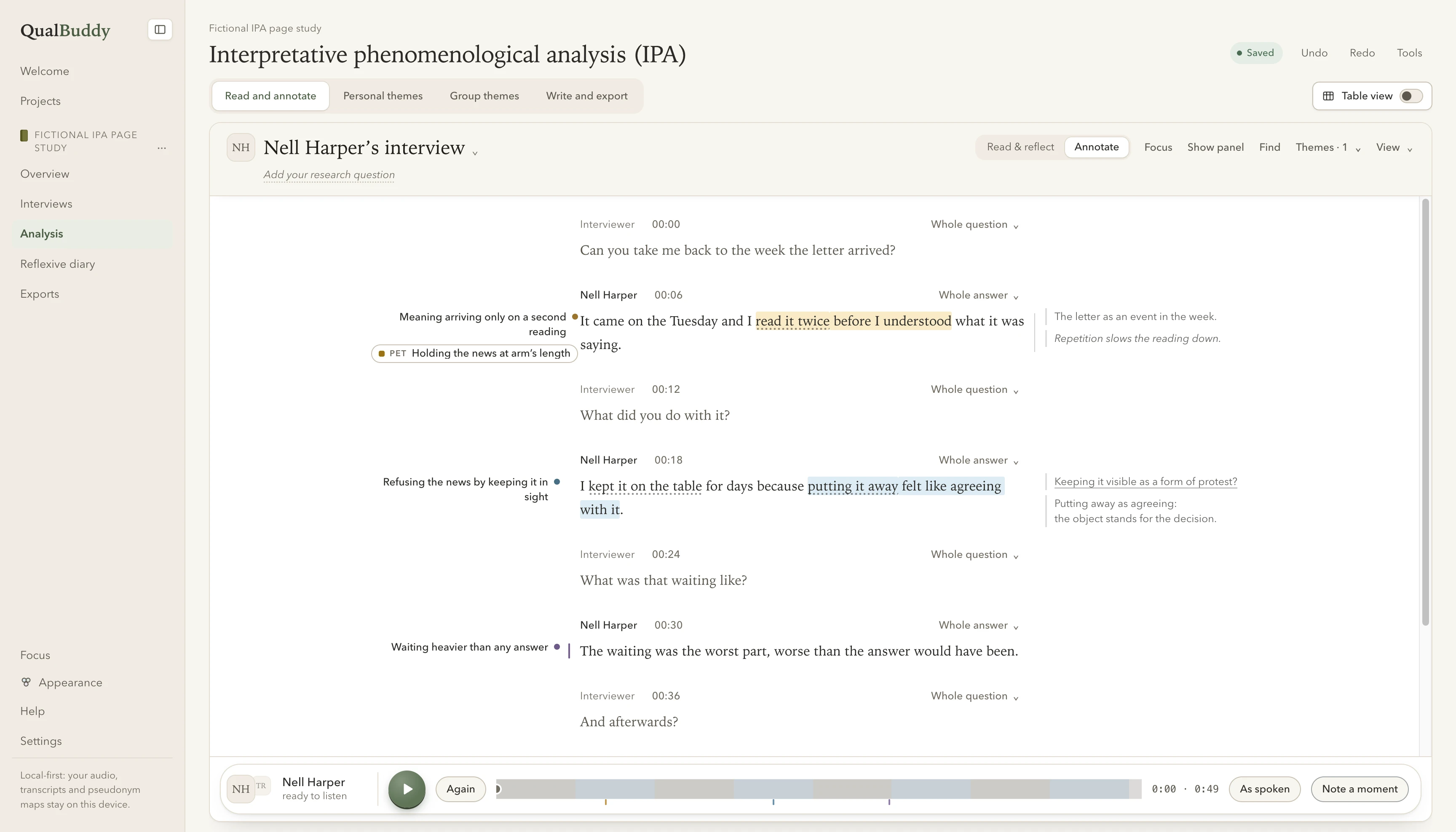
The source. The notes. Your interpretation.
01 · Privacy first
Audio, transcripts and analysis are processed on your computers. QualBuddy does not upload interview material for processing.
02 · Researcher-led
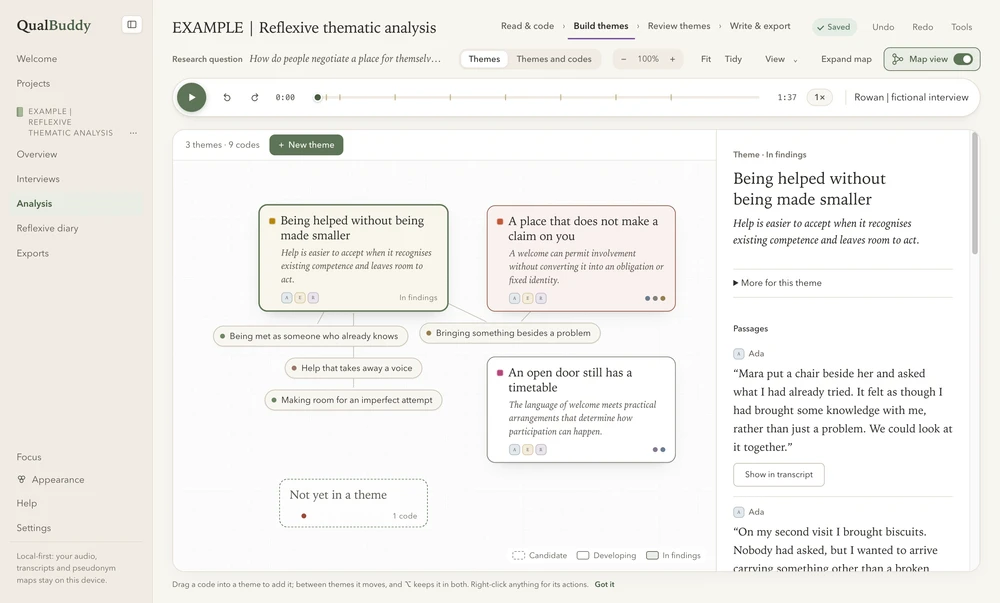
Dedicated IPA and reflexive thematic analysis workspaces keep your developing ideas connected to the participant’s words.
03 · A connected workflow
Transcribe, review, code, reflect and write in one app, with exports to carry your findings into Word.
Make the research budget go further
For teams paying to transcribe interviews, local automatic transcription offers a way to reduce outsourced work. A pilot lets you check the value with your own recordings and requirements.
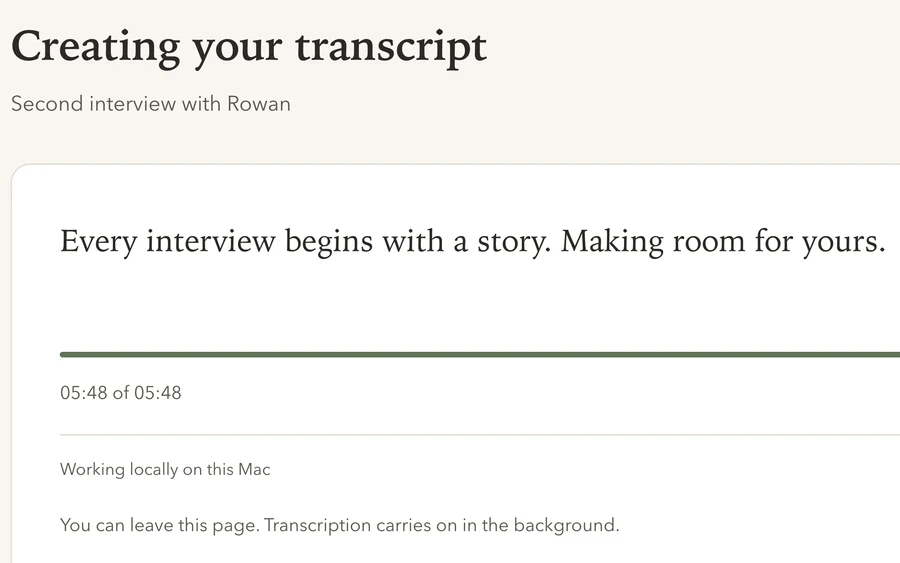
Start with what you currently spend on transcription. Then compare the proposed licence and support cost, alongside staff time spent checking and correcting the local transcript.
Savings depend on your current arrangements and review needs. Some projects will still need specialist human transcription.
For the work after transcription
Move from a passage to a note, from a code to a theme, and from a chosen quotation to the written account. QualBuddy gives students and researchers a place to develop and revisit their interpretation.
Fictional worked examples, reflexive notes and Word resources offer a starting point for methods teaching and supervision.
Start at the right scale
Explore a package around your users and research. Institutional access is arranged by enquiry, with scope, price and delivery confirmed in a written proposal.
One project or a small research team
Find out how QualBuddy fits your interviews, your method and your day-to-day work.
A methods module, doctoral cohort or department
Bring transcription, close reading and writing into the same teaching workflow.
Several departments or a larger research community
Start with your requirements and plan a phased introduction with your IT and research teams.
Each proposal sets out the number of users, term, transcription allowance, support, updates and any renewal costs. Package discussions do not change the current individual licence terms.
The people around the software
Useful software needs clear expectations. We’ll discuss the help your team needs and set out what is included before you commit.
Explore the app with the 14-day individual trial, including 3 hours of transcription. For a team pilot, discuss an introductory walkthrough and a named contact in your department.
Contact us by email with questions and feedback. Your institutional proposal can specify onboarding sessions, support coverage and response expectations.
Read the release notes for recent improvements. Agree the updates included in your package, how they reach your team and how you’ll manage project backups.
For research, IT & procurement teams
Start with how the app handles your data and how it fits the computers your team uses.
Read the full privacy informationInterview audio, transcripts, analysis notes and pseudonym maps are processed and stored locally unless you choose to move or share them. Exports and backups you put in shared or synchronised folders are handled by the services you choose.
Account sign-in, activation, licence checks and updates use online services. During the trial, recording length and a keyed, scrambled fingerprint are sent to the account service to count the transcription allowance; the audio and words are not sent. See the account and trial data details.
Local processing gives you a concrete data-handling model to assess against your ethics approval and data management plan. Your institution should review device security, access, backups, retention and sharing. Pseudonymisation still needs researcher review.
Send us your requirements so we can discuss them. The privacy information describes the current product; it does not replace your institution’s approval process.
QualBuddy is available for Mac and Windows. The download page provides current compatibility and installation details, and the Windows page includes information for IT teams.
Use a pilot to assess the app on representative managed devices and with the assistive technology your researchers use. Share your accessibility and deployment requirements so we can establish fit before a wider rollout.
The current app stores studies locally and does not provide live shared editing or automatic project sync between computers. Team access means people using the app on their own devices. Plan supervision, exports and project sharing around your institution’s approved processes.
Your department, approximate user count, research methods, intended start date and whether you need research or teaching access are a useful start. Include any purchasing, support or IT requirements. We can then discuss the scope of a demo, pilot or written proposal.
Please leave out interview recordings, transcripts and confidential participant information.
Let’s start with your research
Tell us about your project, cohort or department. We’ll help you explore a sensible starting point.
Or email hello@qualbuddy.com.
Email links open a draft for you to review and send. No research data is needed.
Try the app firstMay we use OpenAI’s measurement cookies to see whether our ads lead to downloads? You can download either way. What’s shared