 QualBuddy
ES 1 · Holding back questions to protect a fragile sense of competence
“I had a question ready, but I kept thinking everyone else would find it obvious, so I stayed quiet.”
P01 · line 2 · Initial theme: Trying to belong without exposing uncertainty
Qualitative analysis for Mac and Windows
One private place for your whole study. Transcription runs on your computer, and your interviews never leave it.
Free for 14 days · No card · Mac and Windows
Tired of your interpretative phenomenological analysis? Your reflexive thematic analysis, framework analysis, grounded theory, narrative analysis, qualitative content analysis? QualBuddy’s got you. Tired of transcribing? Tired of coding in Word? Losing your notes? Centralised. Project-driven. Methodologically aligned. Locally transcribed. QualBuddy. Free for 14 days. No card.
Private by design
Transcription and speaker labels run on your computer. There is nothing to upload and no server to wait for.
QualBuddy never sends your recordings or their words. They stay where you keep them.
Recordings, transcripts, notes and pseudonym maps are stored on your computer, together, in one study.
A one-stop shop for your analysis
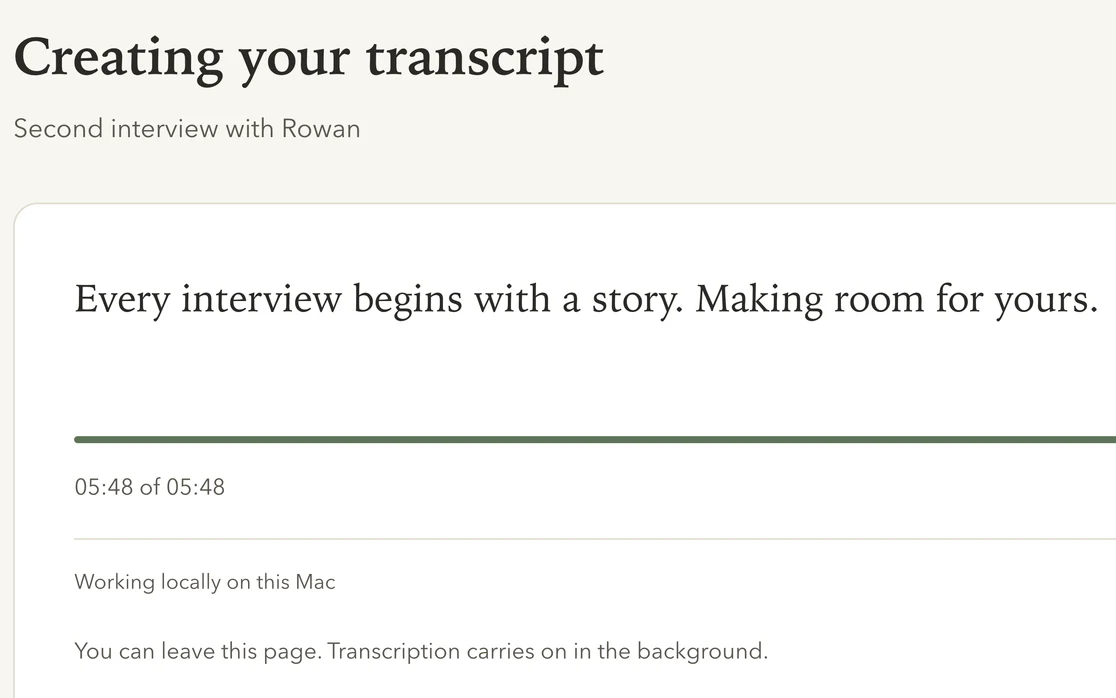
01Transcribe
Speaker labels included. Listen back as each word lights up, and put right anything misheard.
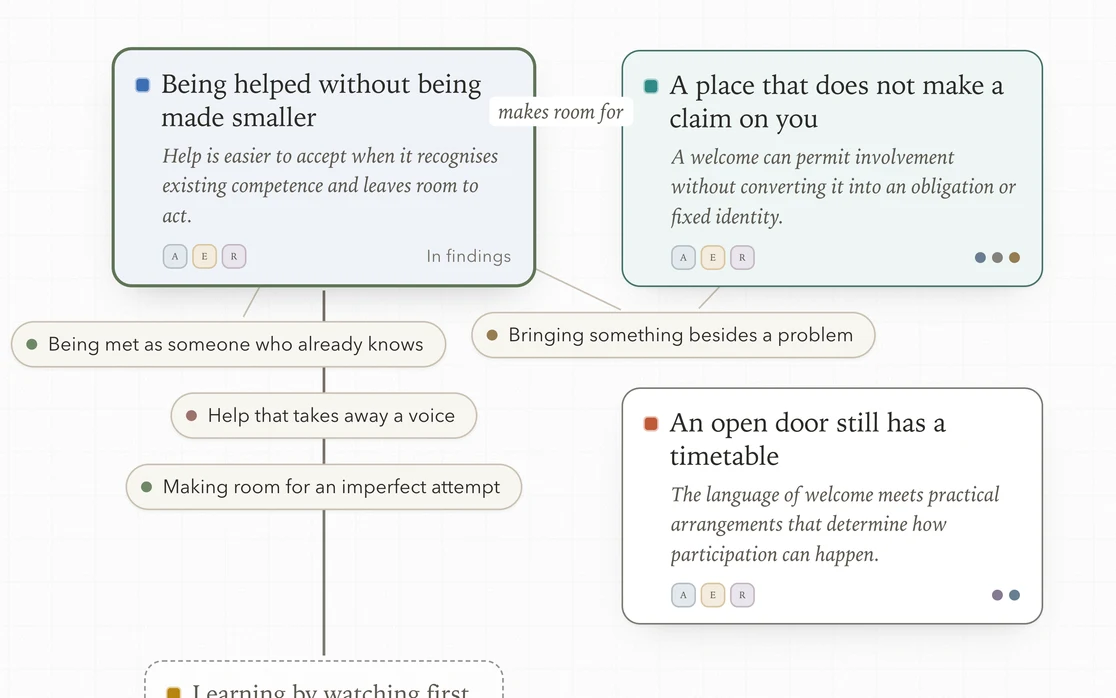
02Analyse
Code, note and build themes in a workspace made for your method, with every passage a click away.
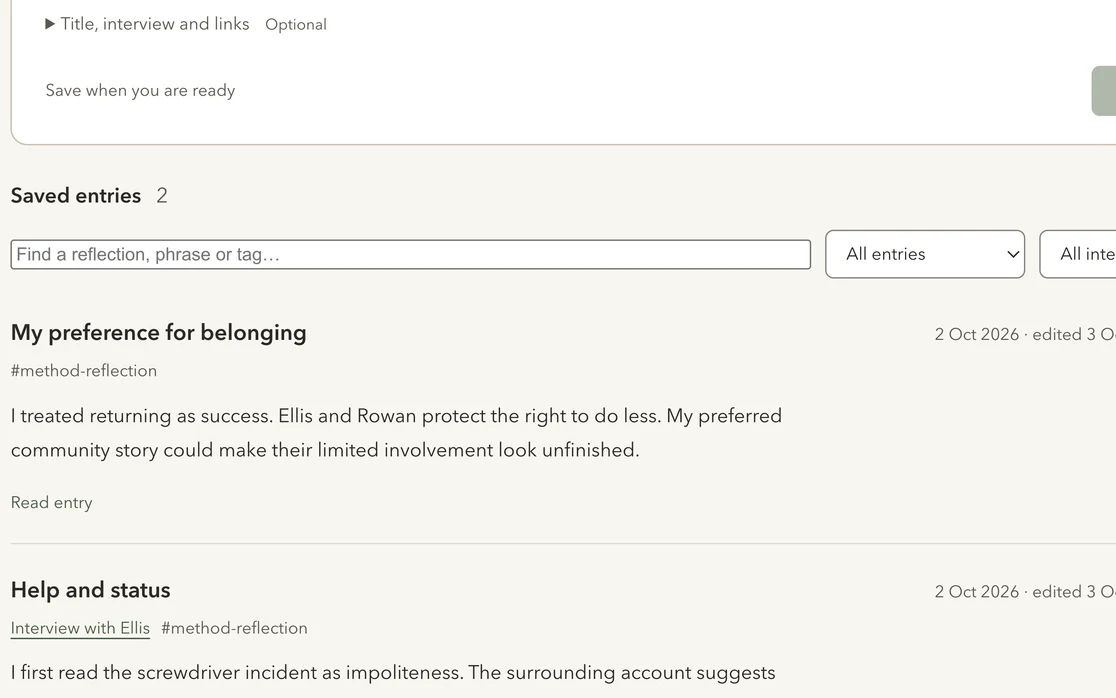
03Reflect
A reflexive diary and memos sit beside the analysis, linked to the interviews they are about.
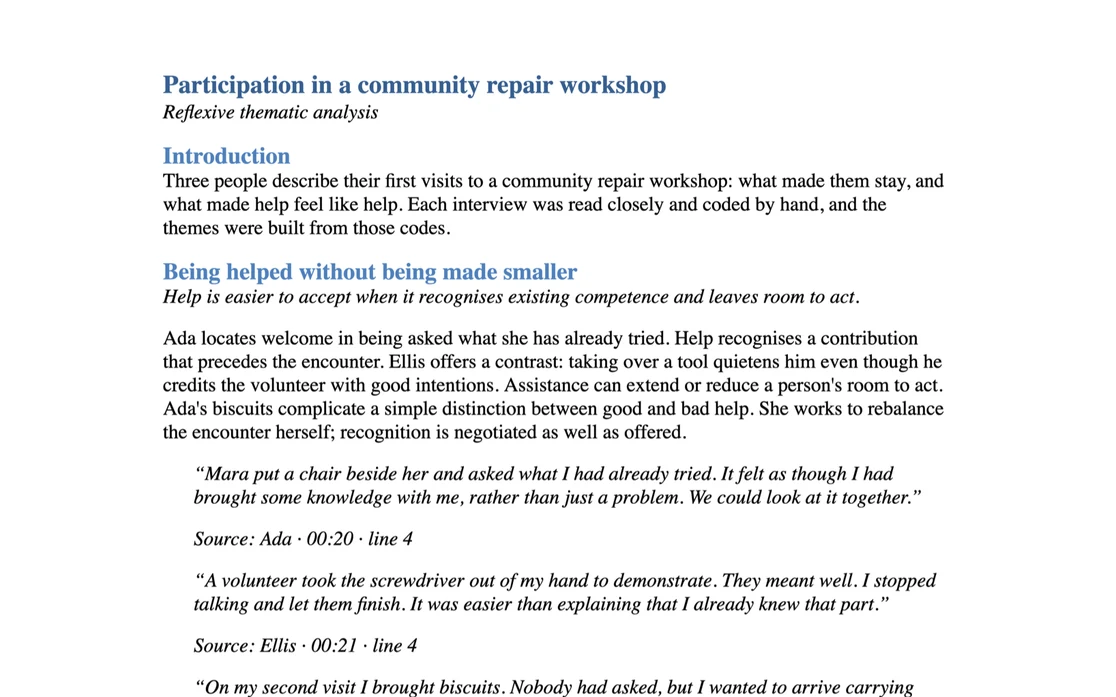
04Export
Draft your findings with chosen quotations in place, then export to Word or Markdown.
Actual app screens. Fictional interviews and prewritten analysis.
A little space to think
Drag a bubble. Explore a quote.
Give an ES a theme—or leave it open.
Unassigned
This is a simplified browser example using fictional interview material. It is not a screenshot of the desktop app. PETs group experiential statements; unassigned statements remain open for interpretation. No GETs are shown for this single participant.
Drag to arrange. Select an ES to change its theme. Keyboard: Enter selects; arrow keys move. List view offers the same relationships and quotes. Changes stay in this example and Reset restores the starting arrangement.
“I had a question ready, but I kept thinking everyone else would find it obvious, so I stayed quiet.”
P01 · line 2 · Initial theme: Trying to belong without exposing uncertainty
“When nobody answered my comment, I went home wondering whether I belonged there at all.”
P01 · line 3 · Initial theme: Trying to belong without exposing uncertainty
“Reading my notes on the bus gave me something to hold on to before I walked into the room.”
P01 · line 5 · Initial theme: Finding steadiness through preparation and recognition
“The tutor remembered what I had said the week before. After that, I found it easier to speak.”
P01 · line 6 · Initial theme: Finding steadiness through preparation and recognition
“At home I knew exactly what was expected of me. At university I was still working out who I could be.”
P01 · line 7 · Initial theme: Unassigned
“That hour in the library was the first bit of the week that felt like it belonged to me.”
P01 · line 8 · Initial theme: Unassigned
The details that support the work
Qualitative work takes time and attention. From a recognisable voice to a quieter page, QualBuddy gives you choices about how you spend that time.

Speaker avatars
Choose or customise a pixel avatar, or keep initials. Participant and interviewer avatars come forward as their turn plays, with a gentle ring around the speaker — a familiar point of reference as you move between accounts.
Focus mode
Let the navigation step away and bring the interview into focus. Read, annotate and keep listening with the controls you need close by, so more of the screen belongs to the work in front of you.
Follow the voice
As the recording plays, spoken words become more prominent and linked annotations gently light up. Point to an annotation to see its passage. Move between the voice, the words and your interpretation without losing the connection.
Pomodoro-style focus
Start a 25-minute session in Focus Harvest, choose 50 minutes or set your own length. Pause or resume when you need to, then take a break at your own pace. Finish a planned session to collect a honey jar for each 25-minute block.
Again & Note a moment
Replay the sentence with Again, or save a thought at its place in the recording with Note a moment. Come back to an observation while keeping the surrounding voice and context within reach.
A quiet way to listen
Choose a quieter listening view in IPA or reflexive TA. Other turns and existing marks recede during playback and return when you pause, giving you space to listen again before adding to your interpretation.
Audio-follow features use the recording and available timing information. Focus Harvest is an optional personal timer; you choose when to work and when to take a break.
No card and no automatic charges. Everything is open for the full 14 days, with 3 hours of transcription.